

Hype Malaysia
  • Hype Picks
    • Go
    • Eats
    • Style
    • Streams
    • Concerts
  • Celebs
    • K-pop
  • Music
    • Reviews
    • Interviews & Features
  • Movies & TV
    • Movies
    • TV
    • Features
  • Lifestyle
    • Tech
    • Travels
    • News
No Result
View All Result
Hype Malaysia
  • Hype Picks
    • Go
    • Eats
    • Style
    • Streams
    • Concerts
  • Celebs
    • K-pop
  • Music
    • Reviews
    • Interviews & Features
  • Movies & TV
    • Movies
    • TV
    • Features
  • Lifestyle
    • Tech
    • Travels
    • News
No Result
View All Result
Hype Malaysia
No Result
View All Result
Home News

How To Register & Check Your MyKad TNG Balance

by Hype Desk
June 11, 2022
Source: Facebook/ Touch n' Go Malaysia

Source: Facebook/ Touch n' Go Malaysia

199
SHARES
Share on FacebookShare on Whatsapp

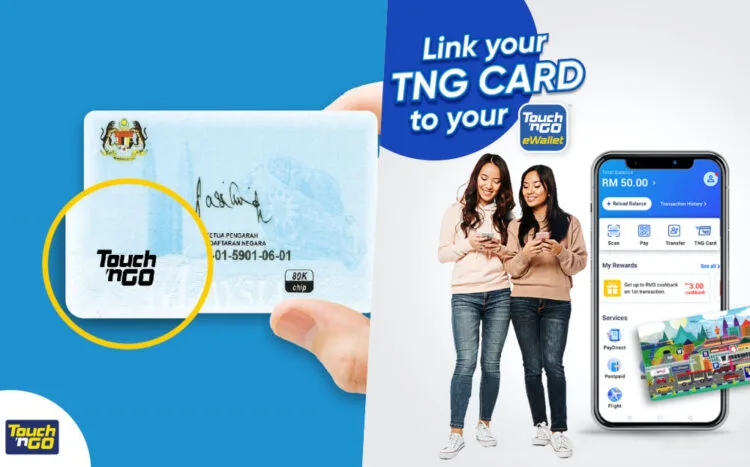
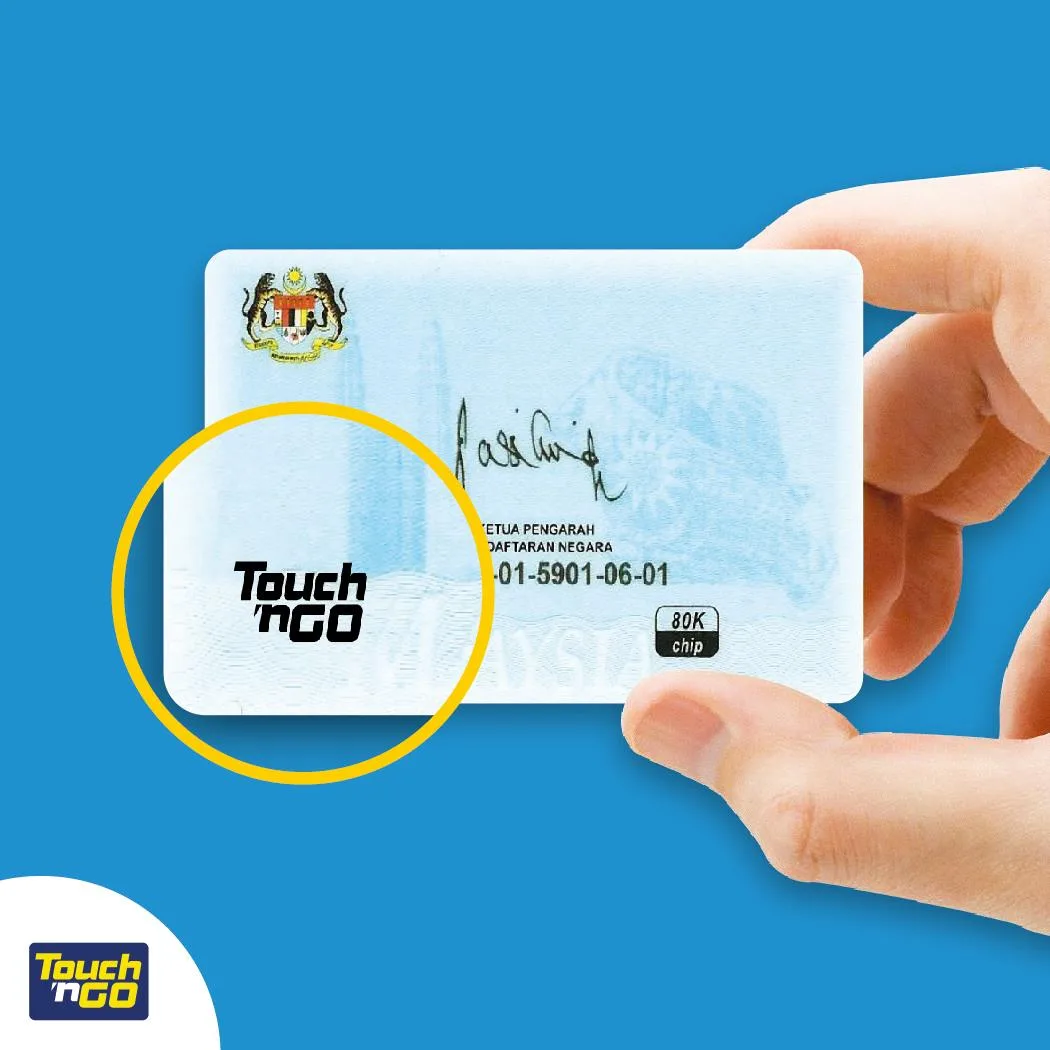
The Touch n’ Go card we have is one the most essential items in our wallet. Since it’s often used for daily commute on public transport such as LRT, MRT, bus, monorail, or even for paying toll fares at the toll booths, many have opted to use the MyKad ID as their Touch n’ Go card for convenience.

However, it’s common to lose track of the balance on the card and come up short on cash when topping up – especially for those who don’t opt for the monthly package. Here’s how you can check your MyKad TNG balance to plan your budgeting and commute expenses.
Source: Facebook/ Touch n’ Go Malaysia

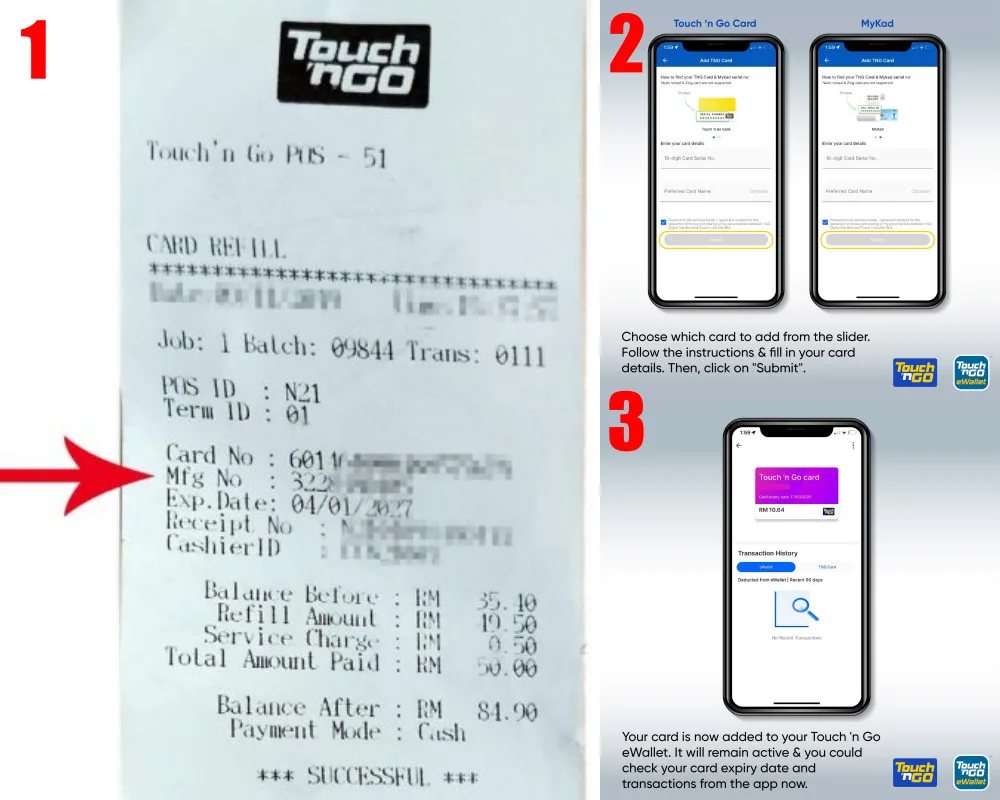
Step 1: Download the Touch n’ Go eWallet app on your smartphone. The app available to download is free on the Apple App Store and Google Play Store.

Step 2: When you reload your Touch n’ Go card at any convenience store outlet, please ask for the receipt as there is a MyKad Touch n’ Go card (MFG) serial number on the receipt which you will need later.

Step 3: Open your Touch n’ Go eWallet app, enter TNG card function and select “Add New Card”. Follow the instructions given and fill in the require details when you register your MyKad TNG card on the app.

Step 4: Be sure to enter the serial number on the receipt, enter the SMS TAC verification code and you’re good to go to check your MyKad Touch n’ Go card balance on the app!
Source: ViralCham!, Facebook/ Touch n’ Go Malaysia

Do keep in mind that the MyKad TNG has an expiry date as well, so be sure to use up all the balance before the expiration date. Now that you’ve learned something new, would you be using the app to check your TNG balance?

Touch ‘n Go & Pokémon Team Up For Special-Edition Charms & RFID

Sonia contributed to this article.

Source: ViralCham!

Daily CommuteMyKad Touch n GoTouch n GoTouch N Go Malaysia
https://lomp.at/knl5y
Share80SendTweet50Share

Follow us on Instagram, Facebook or Telegram for more updates and breaking news. 


TOP STORIES TODAY

  1. 1

    Annalisa Qiqi: 5 Fun Facts About JJ Lin’s Rumoured New Girlfriend

  2. 2

    Jungkook For Calvin Klein Pop-up Happening In KL This Week

  3. 3

    Legendary HK Group Grasshopper To Hold “Three In Love” Concert In KL This August

  4. 4

    JJ Lin Shares Photo With Family & Rumoured GF; Seemingly Confirms Relationship

  5. 5

    Shakira, Madonna & BTS To Headline FIFA World Cup Halftime Show; Where To Watch World Cup 2026 In Malaysia

Malaysia’s live-wire for the latest news, trends, and entertainment is finally here. We are your calendar, your grapevine, your comic relief, your post-event coverage, and your celebrity stalker. Did we also mention that we are also your gateway to the world?

Contact us: newsdesk@hype.my

NETWORK

  • Lowyat.NET
  • Murai
  • Lipstiq
  • Varnam

ABOUT

  • About
  • Advertise
  • Jobs
  • Terms
  • Privacy Policy

©2026 Vijandren Ramadass. All Rights Reserved.

No Result
View All Result
  • Hype Picks
    • Go
    • Eats
    • Style
    • Streams
    • Concerts
  • Celebs
    • K-pop
  • Music
    • Reviews
    • Interviews & Features
  • Movies & TV
    • Movies
    • TV
    • Features
  • Lifestyle
    • Tech
    • Travels
    • News

©2026 Vijandren Ramadass. All Rights Reserved.

No Result
View All Result
  • Hype Picks
    • Go
    • Eats
    • Style
    • Streams
    • Concerts
  • Celebs
    • K-pop
  • Music
    • Reviews
    • Interviews & Features
  • Movies & TV
    • Movies
    • TV
    • Features
  • Lifestyle
    • Tech
    • Travels
    • News

©2026 Vijandren Ramadass. All Rights Reserved.