

Hype Malaysia
  • Hype Picks
    • Go
    • Eats
    • Style
    • Streams
    • Concerts
  • Celebs
    • K-pop
  • Music
    • Reviews
    • Interviews & Features
  • Movies & TV
    • Movies
    • TV
    • Features
  • Lifestyle
    • Tech
    • Travels
    • News
No Result
View All Result
Hype Malaysia
  • Hype Picks
    • Go
    • Eats
    • Style
    • Streams
    • Concerts
  • Celebs
    • K-pop
  • Music
    • Reviews
    • Interviews & Features
  • Movies & TV
    • Movies
    • TV
    • Features
  • Lifestyle
    • Tech
    • Travels
    • News
No Result
View All Result
Hype Malaysia
No Result
View All Result
Home Lifestyle Lifestyle News

#Google: New “Night Light” Mode In Google Play Books Makes For Comfy Reading

by Lainey
December 16, 2015
Share on FacebookShare on Whatsapp

Here’s a nice update for those of you who are avid readers!

Some of us love reading before bed/reading ourselves to sleep but looking at the bright screen can be hard on our eyes. And long time usage will eventually affect our eyesight, especially if you’re the type who reads in the dark.
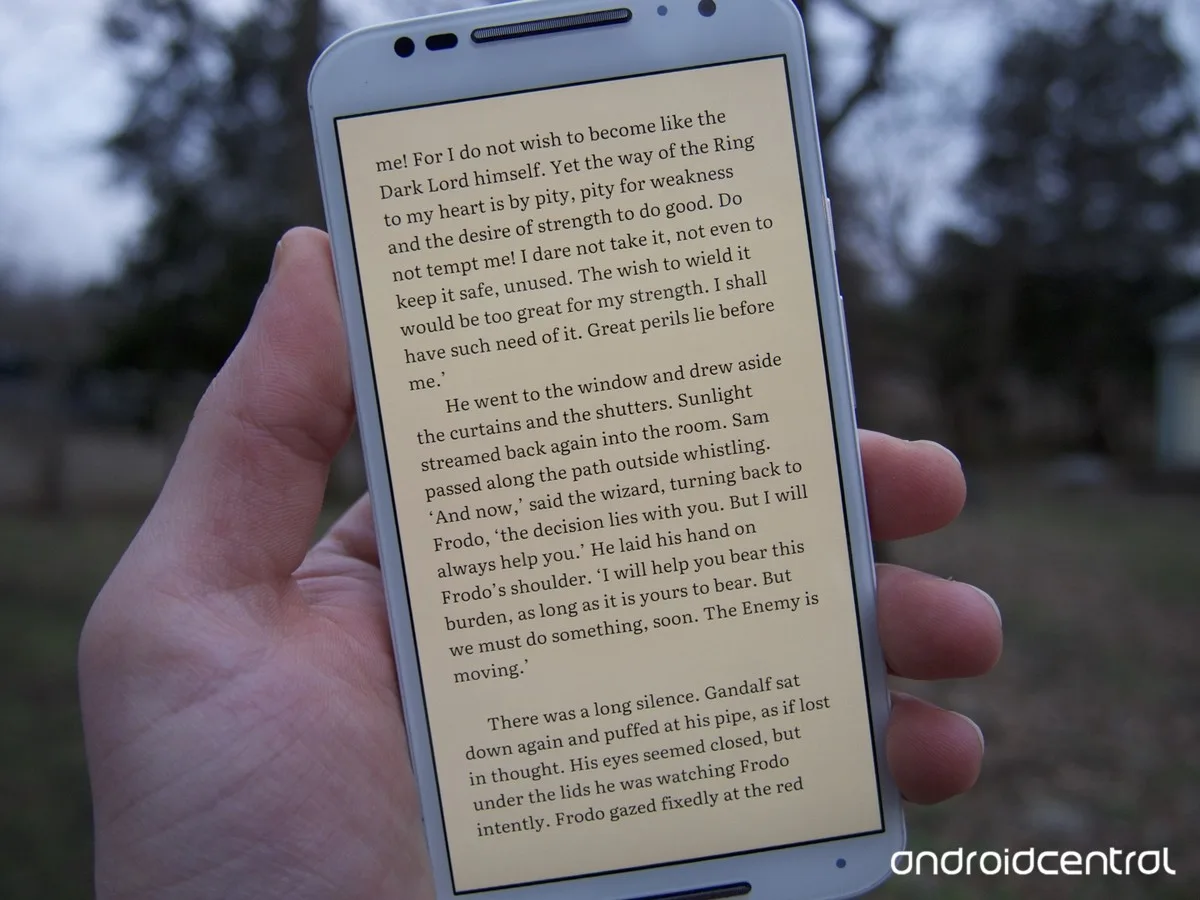
Google Play Books Night Light
Source: androidcentral.com

Amazon’s Kindle has a mode that makes reading at night more pleasant and comfortable for your eyes. If you don’t have a Kindle, the good news is that your Google Play Books has also rolled out a similar mode for their Play Books app!

Called the “Night Light”, the new colour mode gradually filters the amount of blue light displayed by the Play Books app depending on how late it is.

Looking at reading time across the world, activity peaks between 8pm and 10pm local time.

The “Night Light” mode automatically adapts to the amount of natural sunlight outside, using hues of warm, amber light to filter blue light.

By giving the reader just the right temperature and brightness, the colour adjustment greatly improves low-light night reading and therefore reducing eye strain.
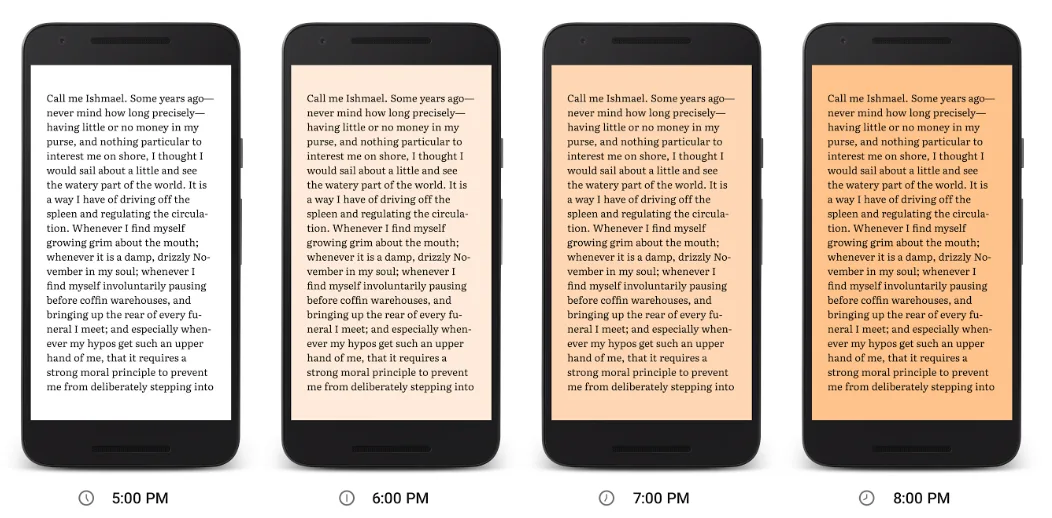
Google Play Books Reading
Source: Official Android Blog

The new feature is still rolling out to Android and iOS readers. To activate it on your phone or tablet, update your Google Play Books app to the latest version through Google Play or the App Store. Then open a book and turn on the Night Light mode option (you’ll see a pop up in the app). After that, Night Light will always adjust to the perfect setting.

Happy reading 😉

Sources: Official Android Blog, The Verge, CNET / Featured image from Android Central.

What’s your Reaction?
Thumbs
Thumbs
0
Love
Love
0
Haha
Haha
0
Sad
Sad
0
Star
Star
0
Weary
Weary
0
Facebook Twitter Whatsapp Messenger Telegram
#GooglePlayGoogle


TOP STORIES TODAY

  1. 1

    A Viral Feet Pic Is Sparking Conversations About Celebrity Beauty Standards

  2. 2

    Barbie Hsu’s Daughter Sparks Interest With Growing Resemblance To Late Actress

  3. 3

    (Video) Chef Wan Opens Up About Being Shamed By Father For Enjoying Cooking

  4. 4

    (Video) Fans Defend BLACKPINK Jennie’s Wardrobe Malfunction Amidst Online Backlash

  5. 5

    (Video) Oops! Chinese Influencer 倪闻悦 Accidentally Flashes Her Boobs During Handstand

Malaysia’s live-wire for the latest news, trends, and entertainment is finally here. We are your calendar, your grapevine, your comic relief, your post-event coverage, and your celebrity stalker. Did we also mention that we are also your gateway to the world?

Contact us: newsdesk@hype.my

NETWORK

  • Lowyat.NET
  • Murai
  • Lipstiq
  • Varnam

ABOUT

  • About
  • Advertise
  • Jobs
  • Editorial Policy
  • Terms
  • Privacy Policy

©2026 Vijandren Ramadass. All Rights Reserved.

No Result
View All Result
  • Hype Picks
    • Go
    • Eats
    • Style
    • Streams
    • Concerts
  • Celebs
    • K-pop
  • Music
    • Reviews
    • Interviews & Features
  • Movies & TV
    • Movies
    • TV
    • Features
  • Lifestyle
    • Tech
    • Travels
    • News

©2026 Vijandren Ramadass. All Rights Reserved.

No Result
View All Result
  • Hype Picks
    • Go
    • Eats
    • Style
    • Streams
    • Concerts
  • Celebs
    • K-pop
  • Music
    • Reviews
    • Interviews & Features
  • Movies & TV
    • Movies
    • TV
    • Features
  • Lifestyle
    • Tech
    • Travels
    • News

©2026 Vijandren Ramadass. All Rights Reserved.