

Hype Malaysia
  • Hype Picks
    • Go
    • Eats
    • Style
    • Streams
    • Concerts
  • Celebs
    • K-pop
  • Music
    • Reviews
    • Interviews & Features
  • Movies & TV
    • Movies
    • TV
    • Features
  • Lifestyle
    • Tech
    • Travels
    • News
No Result
View All Result
Hype Malaysia
  • Hype Picks
    • Go
    • Eats
    • Style
    • Streams
    • Concerts
  • Celebs
    • K-pop
  • Music
    • Reviews
    • Interviews & Features
  • Movies & TV
    • Movies
    • TV
    • Features
  • Lifestyle
    • Tech
    • Travels
    • News
No Result
View All Result
Hype Malaysia
No Result
View All Result
Home Tech

Step-By-Step Guide On How To Use Apple Pay On Your iPhone & Apple Watch

by Hype Desk
August 9, 2022
12
SHARES
Share on FacebookShare on Whatsapp

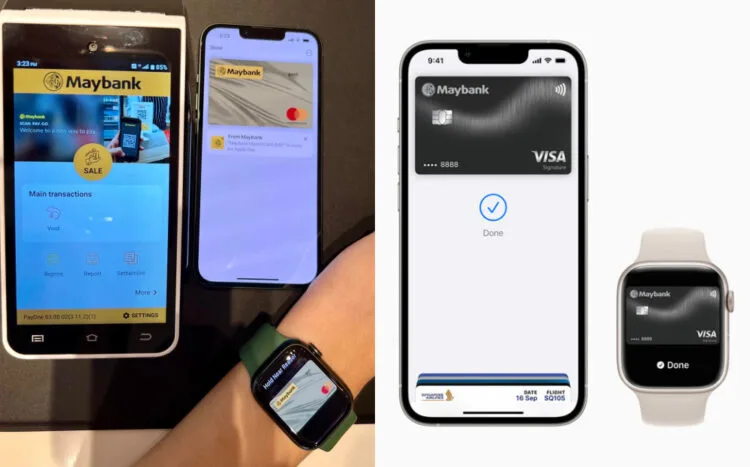
Apple Pay is finally here in Malaysia, and customers can now use the new feature with their iPhones and Apple Watches. The hassle-free and more secure way to shop is available in-store at leading retailers, in apps and even on the web.

Customers do not need to worry about protecting information in the industry. Credit and debit card numbers are not stored on the device or Apple servers. A unique Device Account Number is assigned, encrypted, and securely stored in the Secure Element on the user’s device instead. Each transaction is authorised with a one-time unique dynamic security code.

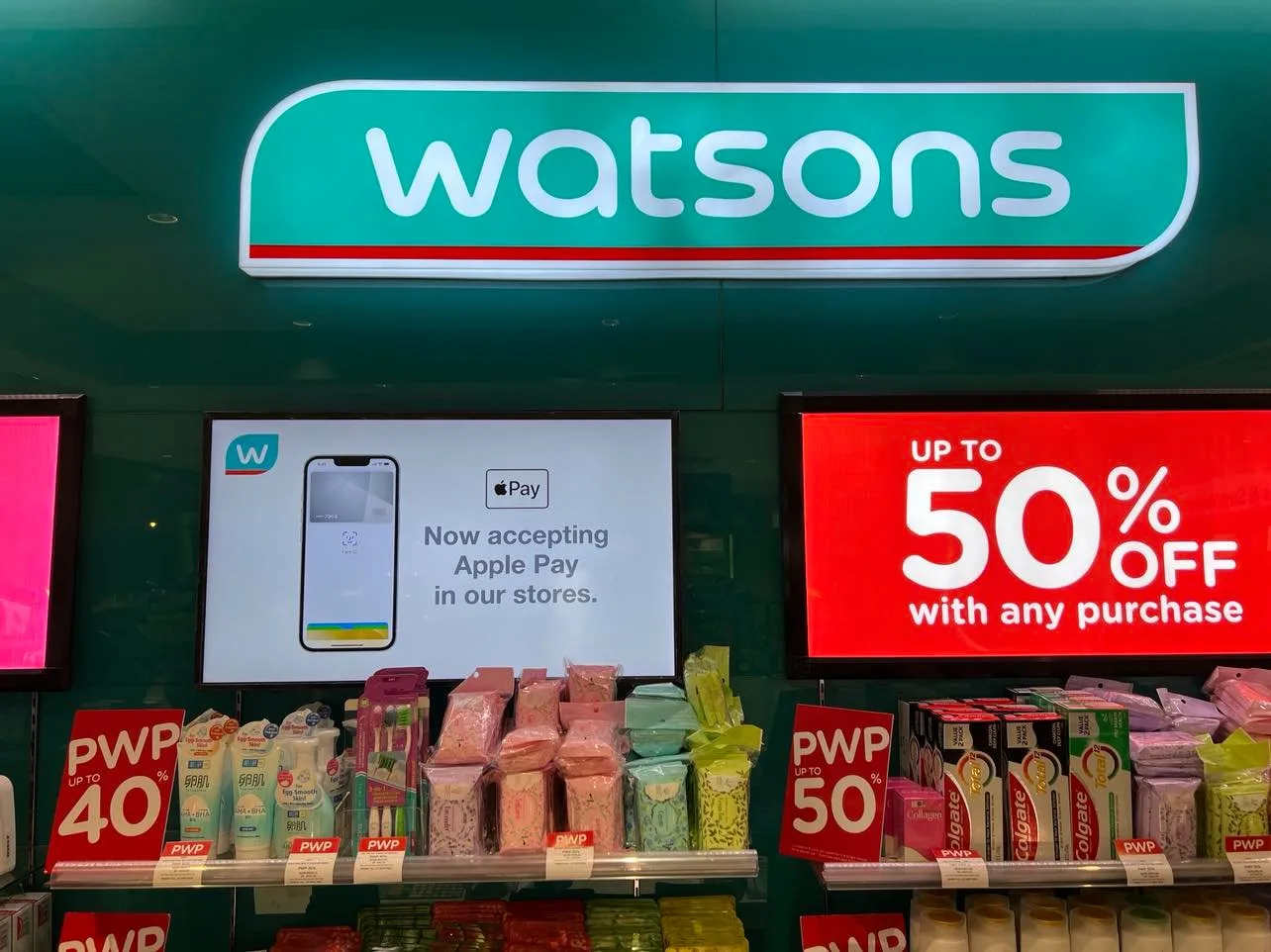
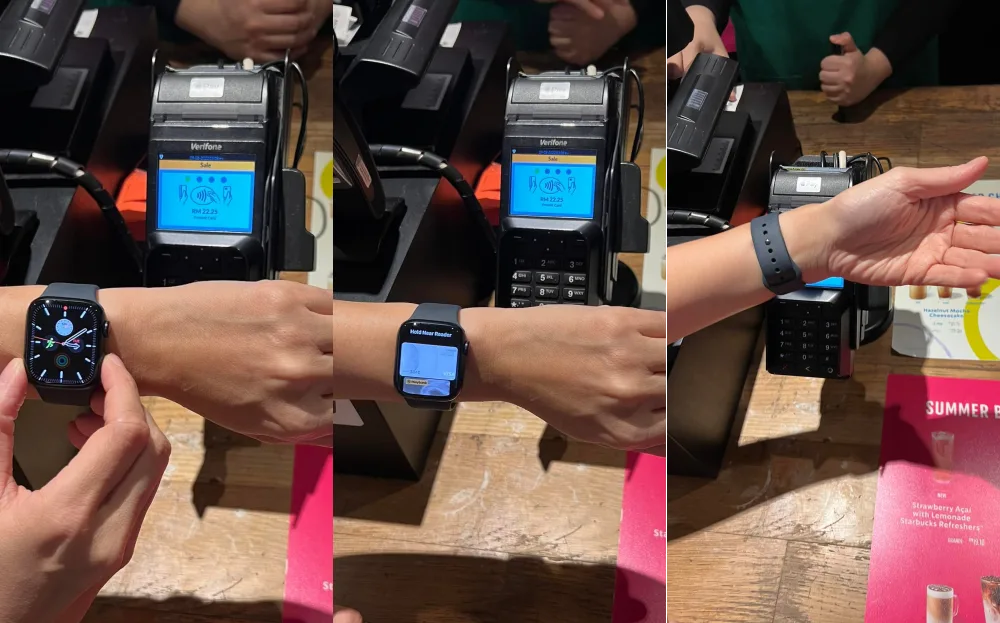
Whether grabbing a coffee at Starbucks, buying essentials from Watsons, or making an online purchase from Shopee, Apple Pay aims to bring speed and convenience to users’ daily lives. Here are some simple steps to setup the Apple Pay app in your device and how to use it.
How to add a credit/debit card for Apple Pay on your iPhone:

  1. In the Wallet app, tap the Add button.
  2. Tap Debit or Credit Card.
  3. Tap Continue.
  4. Follow the steps on the screen to add a new card. If prompted, choose your bank or card issuer from the list or find them using the search bar.
  5. Verify your information with your bank or card issuer. They might ask you to provide additional information or to download an app before approving your card for use with Apple Pay.
  6. If you have a paired Apple Watch, you have the option to also add the card to your watch.
Related Ryt Bank Now Supports Apple Pay, Becoming Malaysia’s First Digital Bank to Offer Both Apple Pay and Google Pay

Add a card for Apple Pay on your Apple Watch:

  1. On your Apple Watch, open the Wallet app.
  2. Scroll down and tap Add Card.
  3. Tap Debit or Credit Card to add a new card, or tap Previous Card to choose a card that you previously added to the Wallet app.
  4. Tap Continue.
  5. Follow the steps on the screen to enter your card information and add your card.
  6. If necessary, verify your information with your bank or card issuer using the Apple Watch app on your paired iPhone. They might ask you to provide additional information or to download an app before approving your card for use with Apple Pay.
@hypemalaysia

Our first time using Apple Pay in Malaysia.

♬ Cloud 9 – Blaze & Slip.stream

Whomever has a Visa or Mastercard cards from Ambank, Maybank, or Standard Chartered Bank can now use Apple Pay! American Express cards will be available to the service later this year. McDonald’s, Machines, Maxis, Starbucks, Uniqlo, Shopee, Watsons, and many more are among the merchants and websites that accept Apple Pay.

What’s your Reaction?
Thumbs
Thumbs
0
Love
Love
0
Haha
Haha
0
Sad
Sad
0
Star
Star
0
Weary
Weary
0
Facebook Twitter Whatsapp Messenger Telegram
AppleApple Pay
No Result
View All Result


TOP STORIES TODAY

  1. 1

    A Look At The 10 Best-Dressed Ballers From The 2026 Ballon d’Or Ceremony

  2. 2

    TWICE’s Nayeon set for November 20 solo comeback with ‘NA-sty’

  3. 3

    Get Ready For The Weeknd Live! : Essential Tips For The Ultimate Night At TM Stadium Nasional

  4. 4

    Interviewer Accused Of Sexual Harassment After Stripping In Front Of 5SOS

  5. 5

    GOT7’s ‘NOT BY THE MOON’ Hits 100 Million YouTube Views, Becoming Their 10th MV To Reach The Milestone

Malaysia’s live-wire for the latest news, trends, and entertainment is finally here. We are your calendar, your grapevine, your comic relief, your post-event coverage, and your celebrity stalker. Did we also mention that we are also your gateway to the world?

Contact us: newsdesk@hype.my

NETWORK

  • Lowyat.NET
  • Murai
  • Lipstiq
  • Varnam

ABOUT

  • About
  • Advertise
  • Jobs
  • Editorial Policy
  • Terms
  • Privacy Policy

©2026 Vijandren Ramadass. All Rights Reserved.

No Result
View All Result
  • Hype Picks
    • Go
    • Eats
    • Style
    • Streams
    • Concerts
  • Celebs
    • K-pop
  • Music
    • Reviews
    • Interviews & Features
  • Movies & TV
    • Movies
    • TV
    • Features
  • Lifestyle
    • Tech
    • Travels
    • News

©2026 Vijandren Ramadass. All Rights Reserved.

No Result
View All Result
  • Hype Picks
    • Go
    • Eats
    • Style
    • Streams
    • Concerts
  • Celebs
    • K-pop
  • Music
    • Reviews
    • Interviews & Features
  • Movies & TV
    • Movies
    • TV
    • Features
  • Lifestyle
    • Tech
    • Travels
    • News

©2026 Vijandren Ramadass. All Rights Reserved.